Understanding ATS Resume Checkers
An experienced recruiter's guide on how candidate screening tools simulate corporate databases to help you format your document.
Screening Simulation Showcase
How parsing systems categorize and map your career achievements
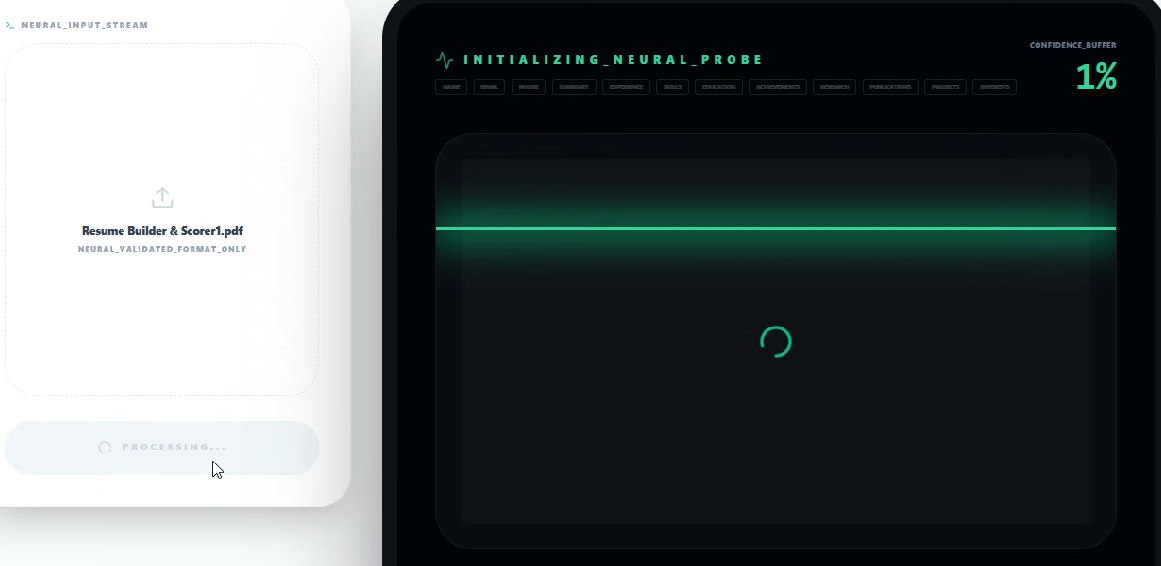
The Modern Database Filter
In corporate recruiting, the primary challenge is not finding candidates, but managing the overwhelming volume of incoming applications.
When you submit a resume, it enters an applicant tracking database that indexes files so recruitment teams can query them later. Giant enterprise systems like Workday or Taleo operate as closed database platforms that require structured fields, whereas modern startup tools like Greenhouse or Lever integrate seamlessly with active pipelines and social profiles. Regardless of the system size, the software separates your document into basic fields like previous job titles, employment dates, and skill segments.
Many job seekers assume that this initial screening is a sophisticated assessment of their professional capabilities. In practice, these tools are very literal text extractors that rely on clear formatting and exact phrase matches. If the system encounters complex elements like visual grids or custom symbols, the text scrambles, rendering the application difficult to read or search. This means a qualified professional can easily be passed over simply because their files were not formatted cleanly. By using a straightforward single-column layout, you help the software map your details accurately to the recruiter's search fields.
Understanding that tracking databases are literal sorting tools rather than automated evaluators is crucial to keeping your application visible.
How a Checker Simulates the System
A resume checker is a simple tool designed to simulate how these corporate systems parse and index your career history.
In a typical hiring coordinator's workflow, a search begins by typing highly specific Boolean queries—such as `("Software Engineer" OR "Developer") AND "React"`—to isolate matching profiles from a pile of thousands. Since professional databases are expensive and closed to the public, candidate checkers help you preview your document's text extraction before hitting submit. They analyze structural tags and technical term density so you can see if your profile will successfully emerge from these recruiter searches.
When a checker generates a match percentage, it is not grading your professional competence or potential value. Instead, it is assessing how closely your written experience matches the specific phrasing in the job description. If a required skill is mentioned in the posting but missing from your document, your percentage match will naturally be lower. Using a simulator is a useful way to review your formatting and catch visual layout bugs early in your search. It allows you to refine your wording so that your actual achievements are fully visible to the recruiting team. By aligning your text with the role's language, you usually improve layout parsing consistency.
A resume simulator acts as a useful way to review your formatting, verifying that your document's structure matches the system's indexing rules.
Nuanced Phrasing and the 80% Guideline
While matching scores are a common filter, the idea of a single 'perfect score' is a misconception in recruiting.
Every organization configures their tracking software differently, meaning a document that scores highly in one system might parse slightly differently in another. Because of this variation, you should aim for a reasonable match range rather than trying to game a specific system. Aiming for a reasonable match range is a great standard that balances system keywords with human readability.
When candidates focus too heavily on achieving a perfect score, they often ruin their resume's natural voice. They end up repeating key terms unnaturally, creating dense walls of text that look awful to a human reader. Remember that passing the automated screening is only the first step in the hiring process. Once your profile is retrieved, a recruiter will evaluate your achievements, project scale, and actual contributions. If your bullet points are written in a repetitive, machine-like tone, they will likely decline to move you forward. Grounding your skills in realistic project accomplishments is the most effective way to appeal to both tracking systems and human coordinators.
Targeting a reasonable match range keeps your document optimized for system searches without sacrificing its natural voice.
Common Layout Pitfalls
The most frustrating rejections occur when qualified professionals submit unreadable formats that block simple text extraction.
Hiring coordinators frequently review files on mobile screens during brief travel breaks or quick catch-up sessions. When you apply via LinkedIn Easy Apply or directly from a mobile browser, complex layouts or dual-column configurations often break entirely, leaving a jumbled mess of overlapping words. Standardizing your document to a clean single-column structure ensures that it reads cleanly on any device.
Many job seekers believe that plain resumes look boring or lack creative effort. On the contrary, experienced recruiters highly appreciate simple, clean layouts because they are easy to scan and read. You should use standard margins and system-default fonts like Arial or Calibri to support cross-platform compatibility. Saving your final file as a standard Word document or a text-based PDF usually improves parsing consistency. By focusing on clear prose rather than complex graphics, you help recruitment coordinators review your profile without technical delays.
Prioritizing clean formatting over complex graphic elements helps ensure that your career history reads cleanly.
Keyword Matching vs. Human Readability
Tailoring your resume with relevant terms is a standard practice, but keyword stuffing is highly counterproductive.
Some candidates try to trick the system by pasting long lists of professional terms at the bottom of the page in white text. Modern tracking tools are designed to catch these outdated tricks, and human recruiters will immediately discard applications that use them. A much stronger approach is to weave relevant keywords directly into your achievement bullets.
For example, if a job description emphasizes team collaboration, do not simply add the term to a comma-separated skills list. Instead, write a clear bullet point describing how you coordinated a team collaboration project to deliver a departmental target. This contextual placement proves to both the system parser and the hiring manager that you have genuine, direct experience. It also prevents your profile from sounding like a generic list of keywords during the human review stage. By grounding every required term in a realistic project win, you build a believable, realistic career story that stands out.
Placing key professional terms inside descriptive project bullets is how you satisfy both screening systems and human reviewers.
Systems Comparison
A direct comparison of online checkers with corporate tracking systems.
| Feature | Online Checker Simulator | Corporate Tracking Database |
|---|---|---|
| Goal | To identify formatting issues and missing keywords so you can improve your text before applying. | To index, search, and categorize thousands of candidate profiles for immediate or future hiring needs. |
| Feedback | Provides specific error highlights, missing keyword recommendations, and scoring breakdowns. | Provides zero immediate feedback. Silent database indexing for the hiring coordinator's queries. |
| Parsing Scope | Standardized text extraction based on public API models. | Customized company configurations, custom tags, and location filters built by the corporate HR team. |
Recruiter Formatting Observations
Practical observations from reviewing profiles across different tracking systems and recruitment workflows.
Clean Headings
Using widely recognized headers like 'Work Experience' or 'Skills' helps tools index your document correctly.
Simple Bullet Points
Standard circular black bullet points process easily in most systems.
A Brief Summary
Placing a short professional overview at the top is a reliable way to set your context early.
Relevant Keywords
Integrating exact technical terms from the role description naturally into sentences improves readability.
Active Verbs
Starting your achievements with active verbs is a straightforward way to highlight contributions.
Two-Page Guidelines
Targeting a standard length of two pages helps present your skills without crowding layout elements.
Typographical Clarity
Ensuring all text is clean and checked for spelling mistakes keeps your profile searchable.
Character Spacing
Verifying that there are no spacing errors inside words helps keep text recognizable to databases.
Font Consistency
Using standard fonts like Arial or Calibri throughout the entire document usually improves parsing consistency.
Flowing Layouts
Allowing your text to flow top-to-bottom in a single column improves overall parsing compatibility.
Frequently Answered
Calm recruiter insights answering the most common questions regarding document parsing systems.
?Is a 100% match score required to get hired?
No. Attempting to achieve a perfect match score often leads to unnatural writing. Focus on a reasonable keyword alignment that registers terms naturally while remaining highly readable for a human.
?Can modern screening systems parse PDF files?
Yes. Most modern corporate systems parse text-based PDF documents without issues. However, always ensure your PDF is saved directly from a word processor rather than scanned as a visual image.
?Why does my score vary between different positions?
A match score is calculated relative to the specific job description you provide. If a new posting emphasizes a different set of technical tools, your previous document will score lower until you adjust it.
?Do tracking systems automatically reject applications?
Most systems do not reject candidate files automatically unless a company has configured specific knockout questions (such as work authorization requirements).