Writing an ATS-Friendly Resume
An experienced recruiter's guide on formatting and optimizing your resume for applicant tracking systems using clear structures.
ATS Optimization Showcase
How screening systems categorize and extract your career accomplishments
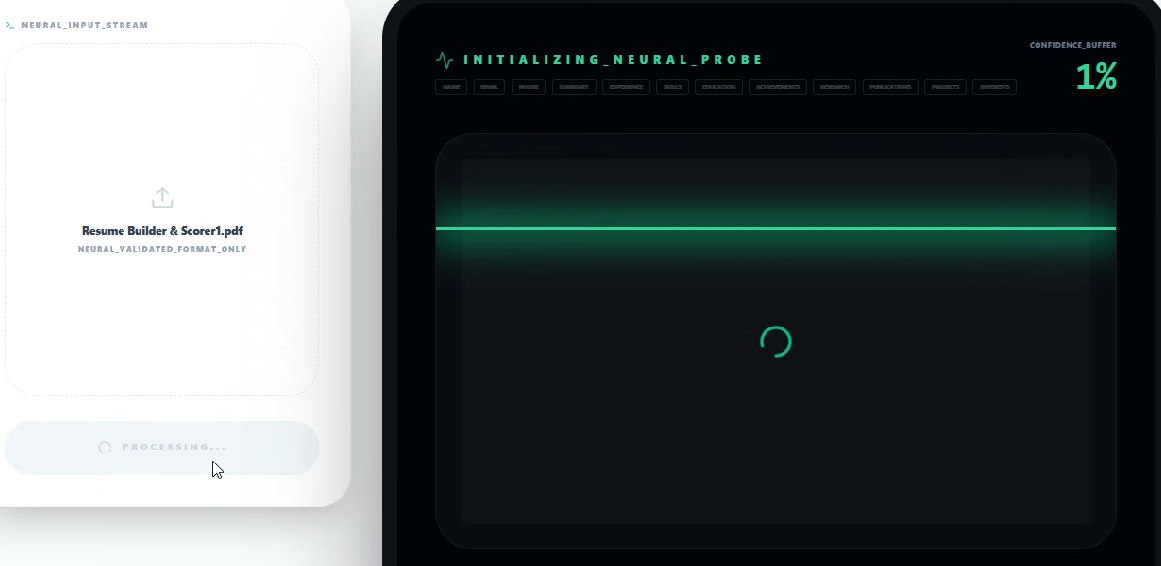
The Parsing Trap
It is a common reality that thousands of well-qualified applications get lost in database systems simply because of layout parsing errors.
Many candidates believe that recruitment software is a highly intelligent evaluator that judges their professional skills. In reality, these programs are very literal database tools that scan files for exact character sequences and separate them into predefined fields. When a file contains multi-column grids or custom graphic elements, the scanner reads horizontally across columns, combining unrelated text and making the application unreadable.
When a recruiter searches a talent database for a specific skill, they rely on system queries to identify candidate profiles. If a scanner scrambles contact details or experience dates because of a complex layout template, a profile may not register correctly in the search results. This can occasionally prevent a hiring team from viewing your qualifications. Sticking to a standard, single-column design is a straightforward approach that usually improves layout parsing consistency. By avoiding fancy design blocks and letting your text flow naturally from top to bottom, you keep your profile readable and accessible.
Understanding how system parsers extract text is a helpful first step to securing a human review.
The Formatting Boundaries
It is generally better to avoid decorative graphics, custom borders, and progress bars in your document format.
Beautiful graphic templates with colorful timelines and skill gauges might seem appealing on a creative blog, but they can cause parsing issues in many hiring databases. These visual decorations often appear as unreadable blocks or empty spaces to a literal text parser. Using a clean, minimal structure with standard black bullet points is a highly compatible way to present your career milestones.
Many job seekers mistakenly believe that basic layouts appear lazy or lack professional effort. On the contrary, experienced recruiters highly appreciate simple, clean layouts that present information in a standardized, easy-to-read format. You should use standard one-inch margins and default system fonts like Calibri or Arial to ensure reliable cross-platform compatibility. Saving your final document as a standard Word document or a simple text-based PDF usually improves parsing consistency. By focusing your effort on clear writing rather than visual decorations, you make it easy for recruitment coordinators to review your application.
Prioritizing clean text formatting over visual design decorations supports accurate data parsing.
Contextual Keyword Integration
Integrating exact-match keywords from the job description is essential, but they must always be written in a natural sentence structure.
Some candidates try to bypass database filters by pasting large blocks of exact-match terms at the bottom of the page in white text. Recruitment software easily catches these outdated techniques, and human reviewers will immediately reject applications that use them. A much stronger approach is to weave these specific technical terms directly into your bullet points, demonstrating your direct experience in a realistic context.
For example, if a position description requires experience in system migration, do not simply add the term to a long list of technical skills. Instead, write a clear bullet point describing how you coordinated a system migration for a cross-functional department. This contextual placement proves to both the hiring tool and the recruiter that you have actual project work experience. It also prevents your profile from sounding like a generic list of tech keywords during human review. By grounding every required term in a real-world project accomplishment, you build a believable, professional narrative that stands out.
Placing key professional terms inside descriptive project bullets is how you satisfy both automated systems and human reviewers.
Formatting Crucial Dates
Standardizing your experience dates is crucial because recruiting databases calculate your tenure mathematically.
If the database system cannot easily read the start and end dates of your previous roles, it may register your total experience as zero. Using irregular formats like "Summer 2021" or omitting months entirely makes it difficult for the scanner to calculate your tenure. To prevent this, always write your dates in a simple, consistent format.
One of the most reliable formats is using standard Month and Year sequences, such as "August 2021 - December 2023" or standard numerical sequences like "08/2021 - 12/2023." Keep this styling consistent across all sections of your experience history, ensuring that the system reads your career progression smoothly. This clear calculation helps recruiters verify that you meet the required tenure thresholds for the specific role. It also prevents system errors that could place your application in a lower priority category. By keeping your career dates simple and consistent, you remove another common administrative barrier.
Using consistent Month-and-Year formats supports accurate tenure calculation and helps keep your application moving smoothly through the hiring process.
Acronyms and Simple Headers
Spell out all professional acronyms alongside their abbreviations to ensure the software matches your skills correctly.
You cannot always assume that an applicant tracking system is programmed to recognize that "AWS" refers to "Amazon Web Services" or vice versa. If a recruiter searches for the full term and your document only contains the acronym, the search query might overlook your profile. The most effective approach is to write out the full term followed by the abbreviation in parentheses the first time it appears.
This same rule applies to the main headings you choose for each section of your document. Use standard, highly recognizable headers like "Work Experience," "Education," and "Skills" instead of creative phrasing like "Where I Have Been" or "My Career Milestones." Standard headings act as commonly recognized section anchors for processing tools, helping them categorize your achievements efficiently. When you use unconventional titles, the system may occasionally struggle to organize your text or place your credentials under the incorrect database fields. By sticking to familiar terms and clear abbreviations, you support reliable data mapping across different sections of your resume.
Using spelled-out terms alongside acronyms and utilizing standard headings keeps your profile easily searchable in any database.
ATS Formatting Examples
A direct comparison of standard formatting habits with simple, ATS-friendly alternatives.
| Avoid (Breaks Parsers) | Do This (ATS-Friendly) |
|---|---|
| Multi-column tables containing skills list, graphical bars representing skill proficiency level. | A clean, comma-separated list of hard skills directly placed under a standard "Skills" header. |
| Creative headers like "Places I've Made Impact" or placing contact details inside the margin header area. | Using "Work Experience" as the section header and placing contact details in the main text body at the top. |
| "Experienced in Kubernetes" when the job description specifically lists "K8s orchestration systems." | "Orchestrated service deployments using Kubernetes (K8s) to meet development requirements." |
Common ATS Formatting Pitfalls
Recruiters manage large databases using automated text parsers. Avoid these layout choices to ensure your file is read successfully.
Multi-Column Grids
Older parsing systems read left-to-right across the entire page, jumbling separate columns into unreadable text strings.
Custom Wingding Bullets
Using decorative shapes or custom icons for list bullets can scramble the parser. Stick to simple, standard circular symbols.
Header & Footer Text Placement
Many tracking programs ignore text placed inside document headers and footers entirely, hiding contact details from search filters.
Creative Job Titles
Using custom titles like 'Customer Evangelist' prevents databases from mapping your experience to standard role queries.
Recruiter Formatting Observations
Practical observations from reviewing profiles across different tracking systems and recruitment workflows.
Clean Headings
Using widely recognized headers like 'Work Experience' or 'Skills' helps tools index your document correctly.
Simple Bullet Points
Standard circular black bullet points are highly compatible with most parsing tools.
A Brief Summary
Placing a short professional overview at the top is a reliable way to set your context early.
Relevant Keywords
Integrating exact technical terms from the role description naturally into sentences improves readability.
Active Verbs
Starting your achievements with active verbs is a straightforward way to highlight contributions.
Two-Page Guidelines
Targeting a standard length of two pages helps present your skills without crowding layout elements.
Typographical Clarity
Ensuring all text is clean and checked for spelling mistakes keeps your profile searchable.
Character Spacing
Verifying that there are no spacing errors inside words helps keep text recognizable to databases.
Font Consistency
Using standard fonts like Arial or Calibri throughout the entire document usually improves parsing consistency.
Flowing Layouts
Allowing your text to flow top-to-bottom in a single column improves overall parsing compatibility.
Frequently Answered
Calm recruiter insights answering the most common questions regarding document parsing systems.
?Can applicant tracking systems parse PDF files?
Yes. Modern databases parse text-based PDFs easily. However, always verify that your document is a searchable text file, rather than an image copy, to ensure complete readability.
?Should I include a professional summary at the top?
Yes. A brief professional summary allows you to contextualize your key accomplishments and integrate required industry keywords naturally right at the beginning.
?Does document page length affect database scanning?
Most systems themselves do not enforce strict page limits. However, while recruiters always appreciate a concise resume, it is often better to use two pages to include clear, high-value achievements than to crowd your text onto a single page.
?Are standard bullet points safe to use?
Standard circular black bullet points are highly reliable and parse well in almost all systems. Avoiding complex graphic checklists, arrows, or unique symbols can help prevent parsing issues.