Understanding ATS Formatting: Layout & Extraction Risks
A balanced guide on how applicant tracking databases handle different document styles—and how simple formatting choices improve your resume's readability.
The Plain Text Reading Order
An example of how horizontal layouts and layered columns can affect text extraction consistency
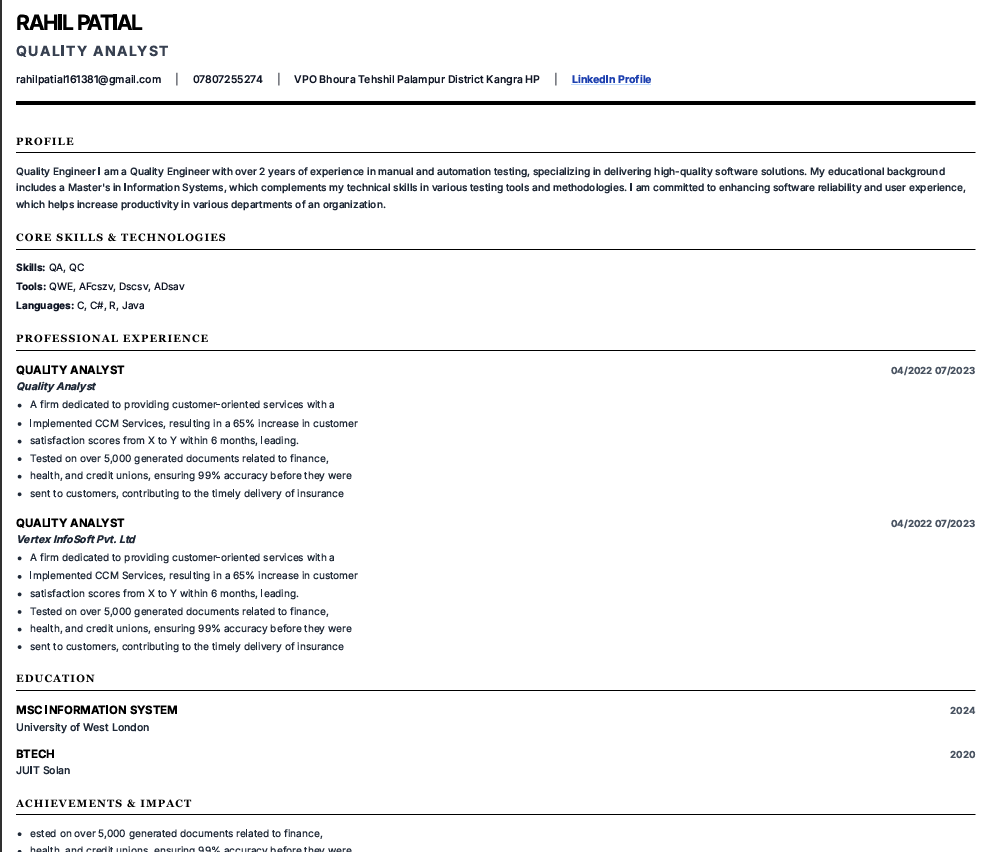
How Sourcing Platforms Handle Your Data
Modern recruitment pipelines use tracking systems to help manage applications, but complex visual templates can introduce parsing inconsistencies that vary between startup and enterprise environments.
In smaller startup environments, hiring teams typically use light applicant tools (such as Greenhouse or Lever) to coordinate applications, where simple plaintext extraction is used to quickly read resumes. In contrast, large enterprise companies rely on highly standardized, legacy databases (like Workday or Taleo) that utilize strict parsing schemas. When you split your resume into multiple side-by-side columns or adjust margin spaces to fit contact details inside Microsoft Word's header field, you run the risk of formatting compatibility issues. Sourcing tools convert files to plain text to search for matching terms; if your layout is complex, the system may read your content horizontally across the page, grouping unrelated sections together and making resumes harder to review quickly.
Many candidates worry that their experience is being ignored by automated filters. In reality, screening databases are search systems, not decision-makers. They query documents based on keywords and timelines. If formatting issues cause your email address to be missed or place your work history in the wrong chronological order, recruiters may have trouble contacting you or identifying your level of experience. Sourcing coordinators often share their frustration at receiving highly qualified profiles that are rendered completely anonymous due to formatted header margins. Ensuring your layout is structured logically is the simplest way to keep your profile readable.
"Clean layouts ensure your credentials are mapped correctly, making it easy for recruiters to review your experience."
The Plain Text Simulator
Select a formatting choice below to see how common layouts are extracted into plain text by typical sourcing databases.
Multi-Column Layouts
Many candidates divide their resume into side-by-side columns to fit more information onto a single page. While easily readable by human eyes, simple text extraction tools often read documents horizontally from left to right across the entire page, much like a spreadsheet. This can interleave your text, mixing your technical skills with unrelated job descriptions in the database.
Recruiter Readability Tip
A single-column layout remains the most reliable choice. If you prefer to group skills separately, place them in their own dedicated section stacked vertically rather than adjacent to your experience.
Work Experience       | Technical Skills
Senior Architect      | Python, AWS, SQL
Led 12 engineers in   | Orchestrated cloud
building microservices | migration frameworks
Work Experience Technical Skills Senior Architect Python, AWS, SQL Led 12 engineers in Orchestrated cloud building microservices migration frameworks
TECHNICAL SKILLS
Python, AWS, SQL

PROFESSIONAL EXPERIENCE
Senior Architect
- Led 12 engineers in building microservices and orchestrated cloud migration frameworks.
The PDF Flat Image Failure
Not all PDF exports are generated equally. If your document is saved as a flat image, the text layers may become difficult for some systems to read consistently.
When you design a resume in visual editors or graphics programs, the files are sometimes exported as flat visual layers rather than structured text. Sourcing databases process documents by reading their underlying text characters. If your file is saved as a flat image, legacy parsers may read the page as empty or return errors.
To check your file's compatibility, open your resume PDF, press Ctrl+A (or Cmd+A), and try to copy the text. Paste the results into basic plain Notepad. If the text copies cleanly in a logical reading order with no missing symbols, the file will be easily read by sourcing software. Always export your resume from Word processors using the native 'Save As PDF' feature, which preserves your characters as selectable text.
"If you can't cleanly copy and paste the text out of your PDF into basic Notepad, some systems may struggle to read it consistently."
Review Your Resume Formatting
Sourcing tools are designed to read standard, single-column documents. If you are concerned that your layout might create reading order issues or import errors, our simple formatter and builder can help you organize your details cleanly.
The Section Anchor Trap
Sourcing systems organize your profile details by mapping them to standardized section categories.
When you use creative section titles like 'My Professional Journey' or 'Where I Learn My Trade', you run the risk of layout confusion. Sourcing platforms are programmed to search for standard headings like 'Work Experience', 'Skills', and 'Education' as logical markers. If the system fails to identify these heading anchors, your work history may get placed in an uncategorized block, which makes it harder for hiring coordinators to filter your profile correctly.
You can express your professional perspective through your project results and job achievements. When organizing your resume's primary section headings, use standard terminology. These recognizable anchors help your work history map more consistently, helping you appear in relevant database queries. Additionally, legacy parsers rely heavily on exact text matches to index section boundaries. Renaming common categories to non-standard names might look unique on screen, but it creates unnecessary difficulty, making sections harder to categorize consistently.
Inside Sourcing Workflows: Core Layout and Keyword Insights
Beyond basic document layout choices, successful resume sourcing depends heavily on technical keyword integrity, careful length control, and section completeness.
Sourcing workflows rely on precise search queries to filter candidates out of database lists. Omitting job-relevant keywords—such as specific tools, libraries, or core technologies—is a significant disadvantage, as your document will not align with active searches. Furthermore, simple spelling errors can quietly disrupt this matching process, since search engines look for exact character matches. Typos like 'Pyton' or 'Managment' will exclude your details from queries, while also signaling a lack of attention to detail to human reviewers.
The overall format and completeness of your document directly affect how long a coordinator spends on your profile. For early-to-mid career professionals, a three-page resume often feels unfocused; keeping your content to a concise one or two pages ensures a tight, readable experience. Additionally, omitting standard sections like projects, education, achievements, and professional summaries makes your profile feel incomplete. Providing these standard sections gives coordinators the complete context they need to evaluate your suitability easily. Finally, language choice is key; relying on passive phrases rather than active, impactful verbs is a notable disadvantage. Active verbs like *spearheaded*, *automated*, *engineered*, or *orchestrated* position you as a proactive builder rather than a passive observer.
Sourcing databases are commonly used to organize applications, making alignment with the job description essential. However, search visibility is only the first step; securing an interview and a final offer requires genuine professional competence and strong performance.
Frequently Answered
Practical answers to common formatting and database screening questions.
?Can modern applicant tracking systems read two columns?
While some modern systems are able to process multi-column files, reading order inconsistencies remain a common compatibility risk. Using a clean single-column format is the simplest way to ensure your details read logically across all screening databases.
?Will including visual dividers or horizontal lines break my layout?
Simple dividers created with paragraph border styles in Word or Docs parse cleanly. You should generally avoid using custom floating shapes or drawing elements, as these can disrupt the extracted plain text reading order.
?What is the safest file format to send to recruitment portals?
A PDF exported directly from your word processor (like Microsoft Word or Google Docs) is excellent for preserving your formatting for human eyes while remaining fully searchable for parsers. Standard .docx files are also widely compatible and highly reliable.
?Does spelling affect my resume's ability to be parsed?
Spelling mistakes won't cause the software to break, but they will prevent keywords from matching correctly. Sourcing tools search for exact matches, so spelling errors like 'Pyton' or 'Managment' will exclude your resume from query filters.
Recruiter's Final Advice
Focus on presenting a clear document structure rather than a complex graphical page.
Hiring coordinators evaluate your qualifications based on the challenges you've solved, the processes you've automated, and the results you've delivered—not the complexity of your resume template. By choosing a single-column layout, keeping your contact details in the body text, using standardized section headings, and spelling key terms correctly, you ensure your credentials reach the recruiter's screen cleanly. Let your experience speak for itself.
It is worth remembering that a well-structured document does not limit your professional story; it actually empowers it. When formatting barriers are removed, hiring coordinators can immediately focus on your concrete accomplishments and career achievements. Spending time perfecting your active achievements and quantitative performance usually matters more than chasing visual layouts. Simplify your formatting choices today, and let the software help your application remain easy to review for the hiring team.